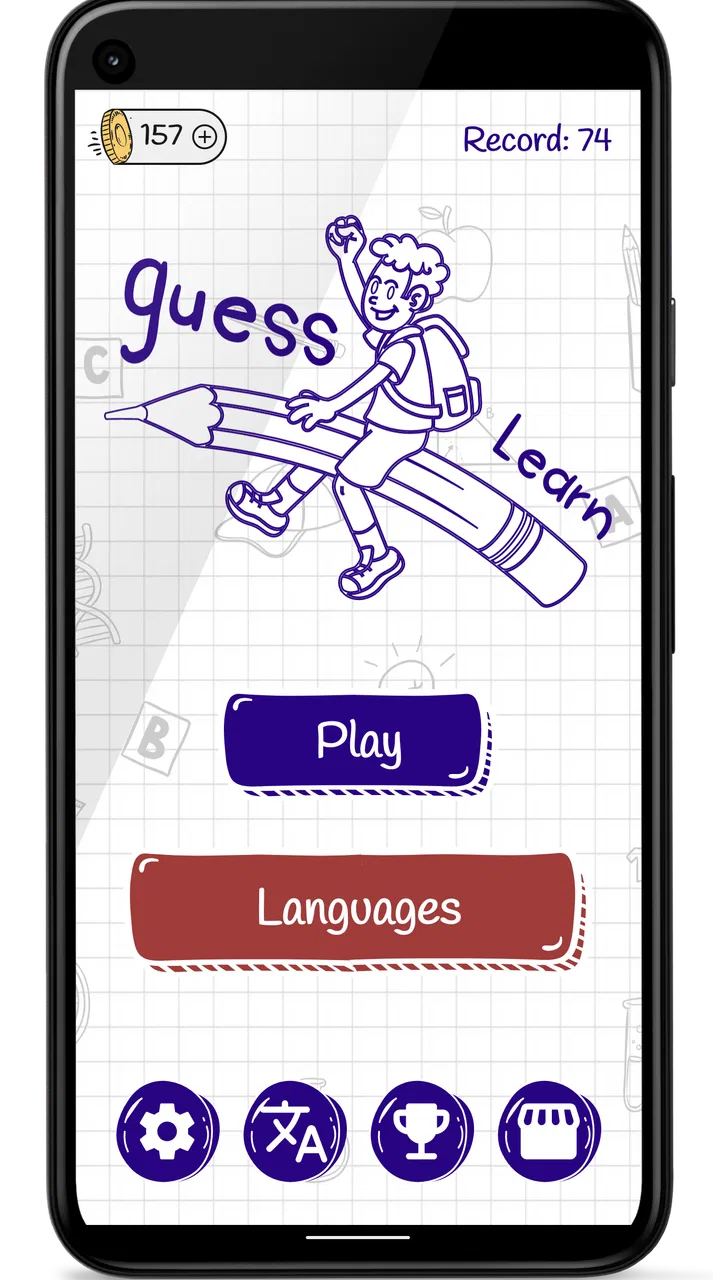
Hangman Kids - Word game
- 3.6
- Rating
- 1.00M
- Installs
- Free
- Price

 Analysis by App-foxy
When I want a simple word game that several people can pick up without a long explanation, Hangman Kids makes a sensible first choice. I see it as a lightweight guessing game for children and beginners rather than a deep vocabulary challenge for experienced word-game players. The basic appeal is immediate: one person can hand over a phone or tablet, another can guess letters, and the round can begin without accounts, complicated menus, or a long tutorial getting in the way.
That simplicity matters most in a shared household. A child can play for a few minutes while waiting for dinner, a parent can use it as a casual language exercise, or siblings can take turns on the same device. I would not present it as a complete language-learning course, but it can create small opportunities to recognize spelling, discuss words, and practice different languages together. Its free price also makes it easy to try without turning a family experiment into a purchase decision.
How it works on a shared family device
The game belongs to the word category and is developed by Gururaj P Kharvi. Its store summary positions it for children and lists English, Hindi, Portuguese, Spanish, French, Russian, and Chinese support. That range is one of its most useful qualities in a household where family members speak different languages or where a child is beginning to explore a second language.
You May Also Like

 Blood Strike: 2.5 Anniversary
Blood Strike’s Loadouts Turn Every Drop Into a Tactical Gamble
A close look at Blood Strike’s custom loadouts: how fast access to signature weapons reshapes its battle royale rhythm, rewards preparation, and narrows the gap between fights.

 Pandora - Music & Podcasts
Pandora’s Music Is Easy to Start, but Harder to Recover
Pandora’s strength is its low-effort path from a seed to a station. Its weak spot is how much confidence it asks you to place in connection, setup, and quiet recovery.

 8 Ball Pool
 Is Built on Rivalries, Rematches, and Routine
A close look at the rivalries, rematches, shared routines, and unanswered safety questions that turn a quick pool match into a persistent mobile community.

 Samsung Music
’s Quiet Strength Is Playing What You Already Own
Its reach comes less from spectacle than from dependable access to a personal library. That simplicity is both the app’s strongest retention engine and its ceiling.

 AccuWeather: Weather Radar
AccuWeather Review: A Quick, Clear Forecast for Everyday Decisions
For everyday plans, the best forecast is the one you can understand quickly. AccuWeather makes rain timing, radar, and local conditions easy to act on, with a few trade-offs.

 Hill Climb Racing
Why Hill Climb Racing Still Turns Crashes Into One More Run
A tiny car, a bumpy hill and one more upgrade: Hill Climb Racing keeps resurfacing because its simple chaos makes every near-miss feel personal.
More From Our News Desk



In everyday use, I would treat the device as a pass-and-play object. One child can make a guess, think about the visible pattern, and then pass the phone to a sibling. A parent can sit nearby and ask why a particular letter might fit. This turns a solitary screen activity into a short conversation, which is more valuable than simply leaving a child to tap through rounds alone.
The best setting is probably a brief, low-pressure session. The game is easy to understand, but that does not mean every child will enjoy repeated rounds for a long time. Younger players may like the immediate guessing rhythm, while older children may quickly want harder vocabulary or more control over the challenge. I would start with a short turn-taking session and see whether the child enjoys solving the words or merely enjoys pressing the letter choices.
A useful household routine is to let each player choose a language before starting a round, then ask everyone to explain a word afterward. With a multilingual family, this can reveal whether a child recognizes a familiar idea in another language or is only guessing from letter patterns. I would keep this informal, because the game should remain fun rather than becoming a test.
What the language selection means in practice
The multilingual support is helpful, but I would not assume that switching languages automatically creates a carefully structured lesson. The practical benefit depends on the child’s reading ability and on whether an adult is available to explain unfamiliar vocabulary. A child who cannot yet read one of the selected languages may find the round confusing rather than educational.
For that reason, I would choose the language deliberately. English may be the easiest starting point for a child already reading English. A parent introducing Hindi, Portuguese, Spanish, French, Russian, or Chinese should stay close enough to translate or pronounce words when needed. The game can support exposure, but the adult supplies the context that makes the exposure meaningful.
There is also a subtle trade-off between shared play and independent play. If siblings have very different reading levels, the stronger reader may dominate every round. I would handle that by giving the younger player the first guess or by having the older child explain the pattern without shouting the answer. This is not a built-in family feature; it is a simple household rule that makes the same app fairer for different ages.
Setting boundaries before handing over the phone
The game is free and carries an Everyone content rating, which makes it easier to consider for a child-friendly shared device. Still, an age label is not a substitute for a parent’s judgment. Children differ in reading skills, patience, and how they respond to losing a round. I would play the first session together, especially if the device belongs to the whole family rather than to the child.
Before starting, I would agree on three small boundaries: how long the session lasts, who takes the next turn, and what happens when someone gets stuck. These rules prevent the most common household problem with simple games—not the game itself, but arguments over the device. A visible timer or a fixed number of rounds can be more useful than promising to stop “soon.”
Shared devices also create account boundaries that are easy to overlook. I would keep the game separate from a child’s schoolwork, personal messages, and other apps whenever possible. If several people use the same tablet, the adult should be the one deciding when the device is handed over and when it returns. Hangman Kids can be suitable for a child-friendly moment, but it does not replace sensible supervision of the entire device.
I would also avoid treating the game as proof of a child’s language level. Guessing a word can involve pattern recognition, luck, or help from another player. A child may solve a difficult-looking round through a good guess and miss a simple word because the vocabulary is unfamiliar. The fairest way to use it is as practice and entertainment, not as a formal assessment.
A practical routine for mixed ages
For a household with a preschooler and an older sibling, I would divide the roles instead of expecting both children to play in exactly the same way. The younger child can identify letters or make the first guess, while the older child can read the emerging word and explain the choices. This keeps the older player involved without allowing that player to solve everything instantly.
For a child practicing a new language, I would write down only a few words that caused difficulty and revisit them later away from the screen. That is a better use of the game than stopping every round to turn it into a vocabulary lecture. The app provides the prompt; the family conversation supplies repetition and meaning.
Another useful boundary is to stop when guessing becomes random. If a child is tapping letters without looking at the pattern, the learning value has probably dropped. At that point, I would pause, ask what letters are visible, and either offer a clue or end the session. A short successful session is more likely to encourage another attempt than a long session filled with frustration.
Coordinating turns without built-in family management
I would recommend Hangman Kids most confidently for households that are comfortable managing play themselves. Its strength is that it is approachable, not that it organizes a family schedule. Parents should expect to provide the coordination: deciding who plays, choosing the language, explaining unfamiliar words, and keeping the device available for other responsibilities.
This can actually be an advantage. Because the game is uncomplicated, an adult can join without learning a complicated ruleset. A grandparent who does not usually play mobile games can still understand the guessing format quickly. A child can show a younger sibling what to do. The shared activity feels more like a small table game moved onto a screen than a large digital world that demands everyone’s attention.
On the other hand, a family looking for profiles, progress tracking, separate settings, or a structured curriculum should look elsewhere. I would not choose this as the central tool for monitoring several children’s learning. Its value is in quick rounds and accessible word practice, not in managing individual goals across a household.
There is a useful distinction between coordination and control. Coordination means agreeing on turns and helping a player when needed. Control means expecting the app to enforce limits or separate each person’s experience. I would rely on the first and not assume the second. If a child needs strict screen-time management, the household’s device settings and adult supervision matter more than the game itself.
Where it fits beside other word games
Compared with a traditional paper version of hangman, the app is more convenient because the family does not need someone to choose and write a hidden word. That makes it practical in a car, waiting room, or kitchen when there is no paper nearby. The trade-off is that paper allows an adult to tailor every word to a child’s interests and reading level.
Compared with crossword games, anagrams, or daily word puzzles, this is a gentler starting point. The player does not need to understand clues or rearrange a full set of letters. The visible pattern gives immediate guidance, which helps children who are still building confidence. More experienced players may find that same simplicity limiting because it offers less strategic depth.
Compared with dedicated language-learning apps, it is narrower. It may encourage recognition and spelling, but I would not expect lessons, explanations, pronunciation practice, or a carefully staged course from this kind of game. If the goal is measurable progress in grammar or conversation, a dedicated learning app is the better tool. If the goal is to make five spare minutes feel playful while exposing a child to words, this one is easier to start.
The most interesting trade-off is between flexibility and depth. The listed language choices make it more adaptable than a single-language children’s game, yet the basic hangman format remains intentionally simple. That combination works well for casual family use, but it will not satisfy someone searching for advanced word strategy or a large competitive community.
Age, trust, and choosing the right player
The Everyone rating fits the gentle role I would give the game in a family. Even so, “for everyone” does not tell me whether a particular child will understand the words, tolerate mistakes, or enjoy the pace. I would judge readiness by reading ability and attention span rather than by age alone.
For an early reader, the adult’s involvement is important. The child may recognize individual letters but not understand the complete word. Asking the child to say the letters aloud can make the round more useful, while quietly supplying every answer turns the activity into passive screen time. For an independent reader, the adult can step back and let the child solve rounds alone, checking in only when frustration appears.
Trust also applies to how the game is introduced. I would explain that mistakes are part of guessing and that another player may need a hint. This matters because a child who thinks every wrong letter is a failure may stop experimenting. The game works better when the family treats it as a puzzle with shared thinking rather than a contest that proves who reads best.
The multilingual aspect deserves similar care. A child may be fluent in conversation but still learning to read a language, or may read a language without knowing the vocabulary used in a particular round. I would not compare siblings across languages as if the results were equivalent. Instead, I would use the language setting that matches the child’s current goal and change it only when the child is comfortable.
There is also a clear point where I would skip this game. If a child wants animated action, a strong story, online competition, or extensive customization, the simple word format may feel too plain. I would also choose another option for an adult who wants a demanding daily puzzle or a serious vocabulary workout. This is a children’s word game first, and its modest scope is both its appeal and its limitation.
Version and device considerations
The current version is 3.3, and the game requires Android 6.0 or later. That makes the operating-system requirement relevant for families using an older phone or tablet. I would check the device before planning a shared activity, particularly if the household keeps an old tablet for children and uses a newer phone for adults.
Because the game is free, trying it on an available compatible device is straightforward. I would still test it myself before presenting it as a regular family activity. A quick adult trial can confirm that the language choice and general flow feel comfortable for the intended child. It also lets the parent decide whether the device’s screen size is suitable for a young reader.
The game has reached over a million installs and holds an average rating of 3.6 from around two thousand ratings. I read that as evidence of broad interest rather than a guarantee that every family will love it. The numbers suggest that it is established enough to be familiar to many users, while the middling average reminds me to keep expectations realistic: this is a useful simple game, not an exceptional all-purpose learning platform.
My household verdict
I would recommend Hangman Kids to a family that wants a free, uncomplicated word activity for short shared sessions. Its strongest use is a parent, sibling, or grandparent sitting nearby while a child guesses letters, talks through a word, and occasionally explores one of the available languages. It is especially practical when the household wants something calmer than an action game and easier to explain than a crossword or anagram puzzle.
My advice would be to make the surrounding routine intentional. Choose the language before the round, set a clear turn order, and stop while the child is still engaged. Use hints to encourage reasoning rather than giving away answers, and revisit interesting words later without making the game feel like homework. Those small choices bring out more value than simply opening the app and letting players tap randomly.
I would not install it expecting detailed learning reports, carefully separated family accounts, or a deep progression system. I would also avoid it for children who need advanced vocabulary, competitive multiplayer, or a more energetic presentation. A paper game may be better when an adult wants complete control over the word list, while a dedicated language app is better for structured study.
For the right household, though, the modest design is exactly why it works. There is little to explain, no purchase barrier because it is free, and enough language variety to support different family situations. Gururaj P Kharvi’s game is best understood as a convenient conversation starter around words: small, accessible, and most enjoyable when adults coordinate the shared device instead of expecting the app to do that work for them.
After trying it, my final view is positive but measured. I would keep it available on a family tablet for spontaneous rounds, early reading practice, and multilingual play. I would pair it with conversation, not treat it as a substitute for teaching. Its real strength is making a few minutes of shared word practice easy to begin; its real weakness is that families seeking depth or built-in organization will soon outgrow it.
FAQs for Hangman Kids - Word game
01What age group is Hangman Kids - Word Game suitable for?
Hangman Kids - Word Game is designed for children aged 5 and above. It features colorful graphics and simple controls, making it accessible for young players. The game focuses on improving vocabulary and spelling skills, providing an educational experience in a fun and engaging way. Parents can adjust difficulty levels to suit their child's needs.
02Does Hangman Kids - Word Game have in-app purchases?
Yes, Hangman Kids - Word Game includes optional in-app purchases. These can range from additional word packs to ad-free experiences. It's important for parents to be aware of these purchases and potentially set up parental controls or password protection to prevent unauthorized spending by children.
03Is an internet connection required to play Hangman Kids - Word Game?
Hangman Kids - Word Game can be played offline, making it perfect for travel or areas with limited internet access. However, some features like downloading new word packs or updating the app may require an internet connection. Offline play ensures that children can enjoy uninterrupted gaming sessions.
04How does Hangman Kids - Word Game support educational development?
Hangman Kids - Word Game supports educational development by enhancing vocabulary and spelling skills. It encourages learning through play, allowing children to guess words and discover new terms. The game includes various difficulty levels and categories, catering to different learning stages and keeping the experience both challenging and rewarding.
05Can parents monitor their child's progress in Hangman Kids - Word Game?
Yes, Hangman Kids - Word Game offers features that allow parents to monitor their child's progress. The game provides insights into the words learned and the levels completed. This helps parents understand their child's learning curve and adjust difficulty settings or provide additional support as needed, ensuring a balanced educational experience.
Pros
- Engaging and educational for children.
- Simple interface suitable for young users.
- Offers a variety of word categories.
- Enhances vocabulary and spelling skills.
- No in-app purchases
- fully free.
Cons
- Limited to English language only.
- Graphics are very basic and minimal.
- No multiplayer or interactive features.
- Ads can disrupt the playing experience.
- Limited customization options for users.

Hangman Kids - Word game
Gallery